How To Apply A Template To An Existing PowerPoint Presentation
Web How do I apply a template to an existing presentation in PowerPoint First open the presentation whose design you want to use On the File tab click Save As In the dialog box that opens from the Save as type list Now open your existing presentation In the Design tab expand the Themes
Start With A Template Microsoft Support, Web Try it Select File gt New Choose a template or type a key word or phrase into the Search for online templates and themes field and press Enter When you find the template that you want select it to see the details and then select Create

Use A Personal Template To Create A New PowerPoint Presentation
Web Use a personal template to create a new PowerPoint presentation On the File tab click New Select Personal or Custom The name varies depending on circumstance Tip If you don t see Personal or Custom then Double click your template and a new presentation will open with your template applied
Edit And Re apply A Slide Layout Microsoft Support, Web Change an existing layout On the View tab click Slide Master In the thumbnail pane that contains the slide masters and layouts pick the layout that has closest arrangement of placeholders to how you want your To change an existing layout do one or more of the following To add a
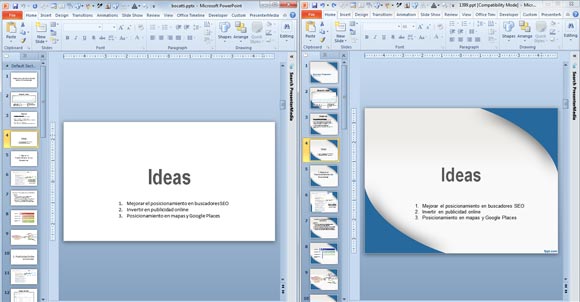
How Do You Apply A Template To An Existing Presentation In PowerPoint
How Do You Apply A Template To An Existing Presentation In PowerPoint , Web Mar 25 2020 nbsp 0183 32 SlidesCarnival 2 05K subscribers Subscribe 327K views 3 years ago PowerPoint Tutorials Sometimes you ll want to apply a new template to an existing presentation to change its design

Apply Template Result Dialog
Create And Save A PowerPoint Template Microsoft Support
Create And Save A PowerPoint Template Microsoft Support Web Apply a template to a new presentation See Also Create your own theme in PowerPoint Save a slide design theme as a template Edit change or delete a placeholder What is a slide master What is a slide layout Create and use your own template in Microsoft 365 for Mac Need more help Want more options Discover Community

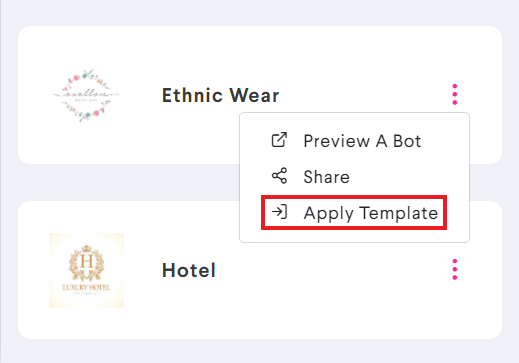
How To Apply A Template To Your Bot Botbaba io
Web When you first open PowerPoint in the left column select New or if you already have a PowerPoint presentation open go to File gt New from template In the window that opens open the folder with your organization s name on it You ll see branded templates or folders containing branded templates Use Your Organization s Templates In PowerPoint. Web Feb 6 2023 nbsp 0183 32 How to apply a template to your PowerPoint slide Here are the guide steps in applying a PowerPoint template in your presentation Open your Microsoft PowerPoint Look and select for quot File quot tab Locate and click the quot New quot pane Select quot New quot and choose a PowerPoint template that suits your presentation Web Home PowerPoint Share this page Find the perfect PowerPoint presentation template Bring your next presentation to life with customizable PowerPoint design templates Whether you re wowing with stats via charts and graphs or putting your latest and greatest ideas on display you ll find a PowerPoint presentation template to make your ideas pop
Another Apply Template In Ppt you can download
You can find and download another posts related to Apply Template In Ppt by clicking link below
- Powerpoint Apply Template Shatterlion info
- Apply Template YouTube
- 2013 Powerpoint Templates Office Free Download Microsoft In Powerpoint
- Applying A Template To PowerPoint Presentation
- Reasons To Apply PPT SEL Group Ltd
Thankyou for visiting and read this post about Apply Template In Ppt