Using Templates In PowerPoint For Mac Support microsoft
Web Apply a template to a new presentation Open PowerPoint and you ll see a set of standard templates in the gallery If you re already working in PowerPoint click File gt New from Template to You can choose one of the standard templates or if you want to find a more specific template type a
Create A Template Microsoft Support Support microsoft, Web Click File gt Open Double click Computer or This PC Browse to the Custom Office Templates folder that s under My Documents Click your template and click Open Make the changes you want then save and close the template Use your template to make a
How To Create A Custom Template In PowerPoint How To Geek
Web Nov 8 2019 nbsp 0183 32 You can do so by clicking the File tab and then selecting New in the left pane A large library of templates will appear but since that s not what we re looking for go ahead and select the Blank Presentation option Next you need to choose the slide orientation and size
Use A Personal Template To Create A New PowerPoint Presentation , Web Import existing slides into your new presentation Open the file that contains the existing slides Click the thumbnail pane and then select the slides you want Select all slides Ctrl A Select a subset of the slides Ctrl click

Apply A Template To An Existing Presentation Microsoft Support
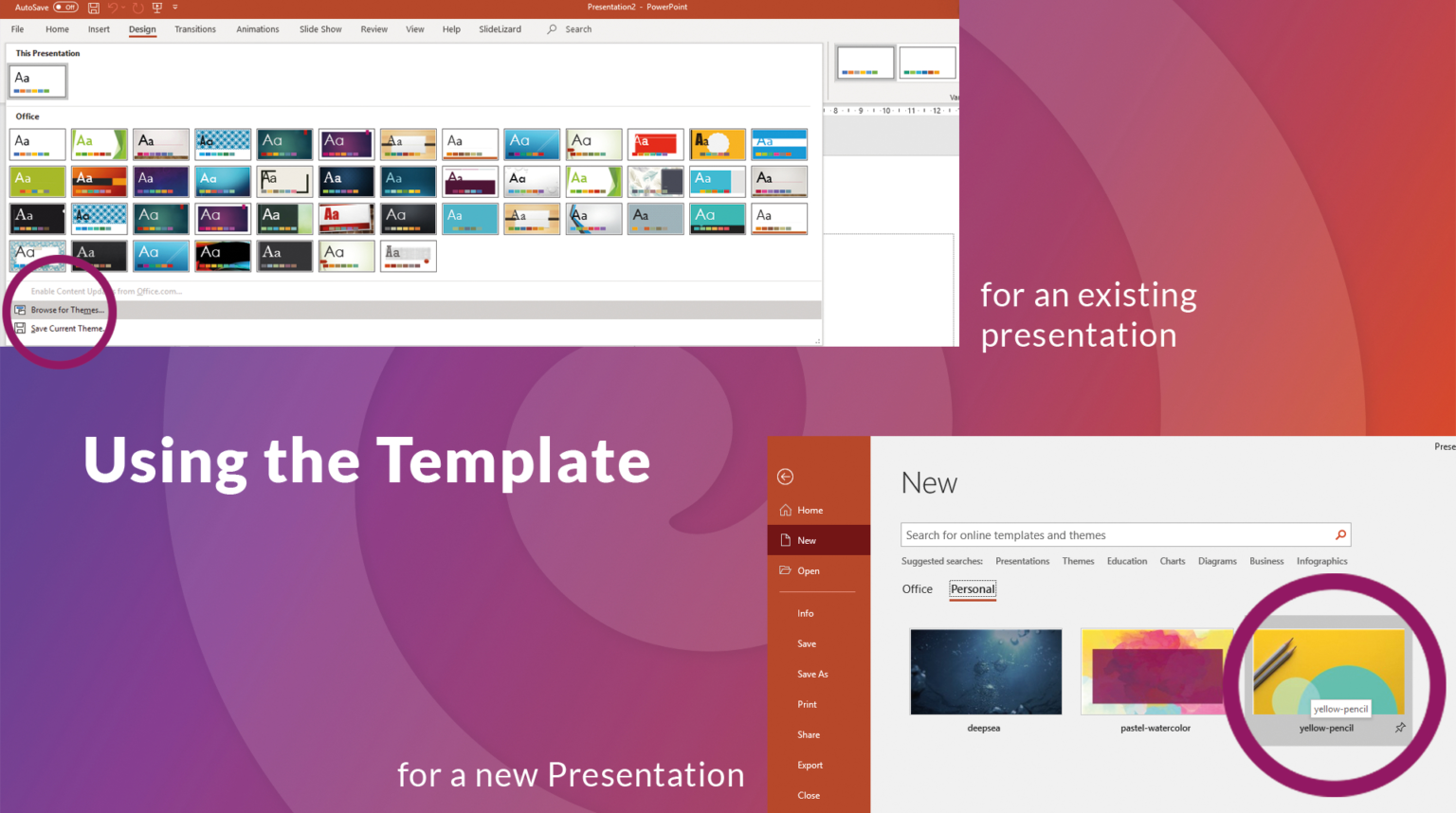
Apply A Template To An Existing Presentation Microsoft Support, Web Select a template Select File gt New Under New you can navigate to a personal or workgroup template Search for a template or choose a featured template or Select the template to see a preview of it then click Create The template is applied to the blank presentation If you don t have

How Can I Create New Template
Tech Tip Adding A Template To Power Point On A Mac
Tech Tip Adding A Template To Power Point On A Mac Web Mar 3 2021 nbsp 0183 32 kedoyle11 Tech Tip Adding a Template to Power Point on a Mac March 3 2021 How to save a new template in Power Point Ppt for Mac Download and open the new template in Power Point While in Power Point click on File gt Save as template Rename the file a name you will recognize
Template Collections Logitude ETR Admin Guides
Web Oct 11 2017 nbsp 0183 32 Open your existing presentation Go to the Design tab and the theme ribbon the ribbon on the left Hover over the ribbon and watch for the down arrow to appear Click the down arrow Click quot Browse for themes quot Navigate to your template file Select the file That should do it Share Improve this answer Follow edited Oct 12 2017 at 18 25 Apply A New Template To An Already existing PowerPoint Presentation On . Web Customize a slide master Use a slide master to add consistency to your colors fonts headings logos and other styles and to help unify the form of your presentation You can change a slide master s colors fonts or effects You can hide or show placeholders Windows macOS Web How to create a PowerPoint template First you have to create the template that you want Here s some tips on how to meaningfully set up a template 1 Open PowerPoint on your Mac or PC and open

Another Create A New Template Ppt Mac you can download
You can find and download another posts related to Create A New Template Ppt Mac by clicking link below
- How To Define Robots txt And Robots Meta Tags In Your HTML
- How To Set Design In Powerpoint
- 2 Create A New Template Or Import From Word
- Create New Template Konsolute
- Create Template
Thankyou for visiting and read this post about Create A New Template Ppt Mac