Create An Org Chart In PowerPoint By Using A Template
WEB In PowerPoint on the File tab click New In the Search for online templates and themes box type org chart and then click Choose an org chart from the search results Many aspects of the chart can be customized so don t hesitate to pick one just because of its color or layout Click Create
How To Create An Organizational Chart In PowerPoint Tutorial, WEB In your PowerPoint presentation select the slide you will be adding the organizational chart to Under Insert select SmartArt Hierarchy Here you ll see many organizational chart templates Select the one that matches your structure Inserting a built in organizational chart

Create An Org Chart In PowerPoint Microsoft Support
WEB On the File tab click New In the Search for online templates and themes box type org chart then click the magnifying glass icon Choose an org chart from the search results Click Create With SmartArt On the Insert tab in the Illustrations group click SmartArt In the Choose a SmartArt Graphic gallery click Hierarchy
How To Create Organizational Charts In PowerPoint With PPT , WEB Oct 18 2021 nbsp 0183 32 Learn how to create an org chart to showcase your company s structure in PowerPoint Here s the process of using SmartArt as well as a PowerPoint org template
How To Create An Organizational Chart In PowerPoint SlideModel
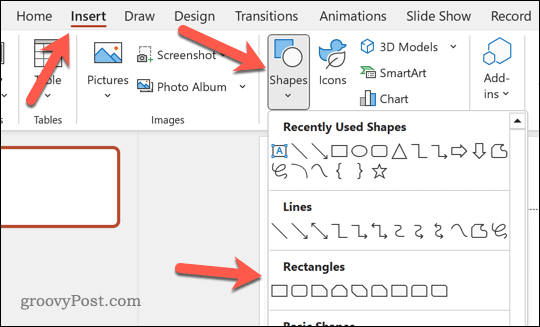
How To Create An Organizational Chart In PowerPoint SlideModel, WEB Apr 29 2022 nbsp 0183 32 Step 1 Insert SmartArt with a Hierarchy Layout or Use a PowerPoint Template To use SmartArt to create your org chart go to Insert gt SmartArt gt Hierarchy The Hierarchy menu is one of the easiest ways to create org charts and comes with several chart types that you can conveniently use
CS4750 Database Systems
How To Create Organizational Chart In PowerPoint Step by Step
How To Create Organizational Chart In PowerPoint Step by Step WEB How to Create Organizational Chart in PowerPoint Step by Step Tutorial Software Spring 10 9K subscribers Subscribed 735 110K views 6 years ago A reason to know how to create an
How To Insert An Image In A Text Box In Powerpoint Free Printable
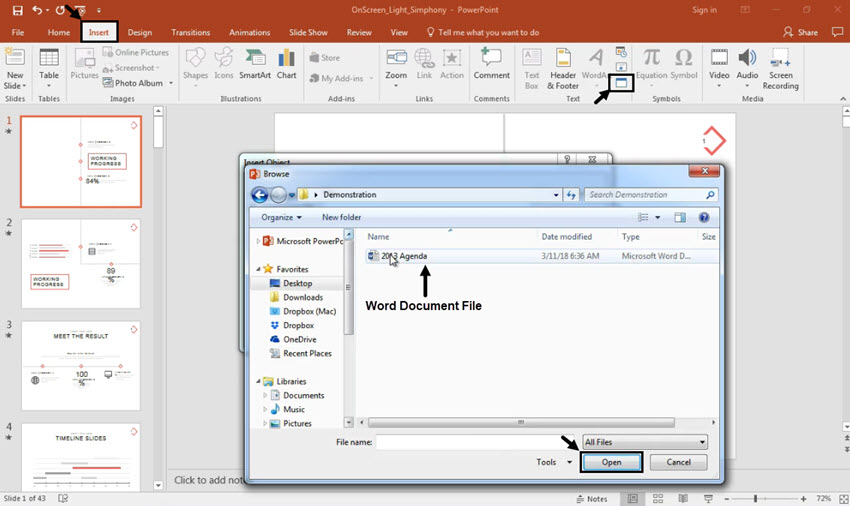
WEB Jul 26 2023 nbsp 0183 32 Start with a Template Getting started with a template can make building an org chart a lot easier A template will give you a visual idea of the type of chart you need how to arrange elements and what the design might look like Templates allow you to adjust colors fonts styles and branding to suit your organizational needs while How To Create An Org Chart In PowerPoint Quickly And Easily . WEB Selecting hierarchy designs for your org chart First things first open up a blank slide in PowerPoint and head over to the Insert menu There you ll find the magical SmartArt button on the toolbar Click it and prepare yourself for an array of dazzling hierarchy designs that are perfect for creating organizational charts WEB How to Create an Organizational Chart in Powerpoint Add hierarchy SmartArt Click the Insert option in the top ribbon then click the SmartArt button Scroll down to the Hierarchy option then click the first option Organizational Chart Add employee descriptions
Another How To Insert Structure In Powerpoint you can download
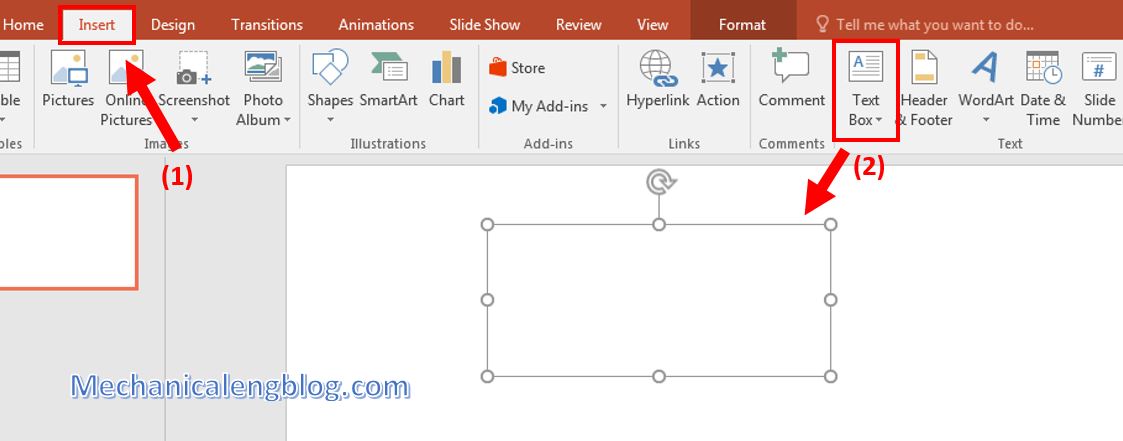
You can find and download another posts related to How To Insert Structure In Powerpoint by clicking link below
- 921395197709713452 how To Insert A Gif Into An Email The Full Guide
- Envision Presentations Inserting Images In PowerPoint
- Adding Pictures To Shapes In PowerPoint YouTube
- How To Insert Youtube Videos In Powerpoint And More Cool Tricks
- How To Insert A Checkbox In Word Vrogue
Thankyou for visiting and read this post about How To Insert Structure In Powerpoint