How To Use Google Drive
Want advanced Google Workspace features for your business Try Google Workspace today Google Drive helps you keep all your files together You can upload and share your files from
Use Google Drive For Desktop, This article will guide you through setting up and using Drive for desktop To get started follow these steps Learn about Drive for desktop benefits
Get Started With Google Maps Android Google Maps Help
This article will help you set up learn the basics and explain various features of Google Maps You can use the Google Maps app on your mobile device or Google Maps on your computer S
Tips For Creating Custom Gems Gemini Apps Help, Use Gemini to help write your instructions Gems can provide more custom responses and guidance when they have clear detailed instructions When you create your Gem you can use

Browse In Incognito Mode Computer Google Chrome Help
Browse In Incognito Mode Computer Google Chrome Help, Open Incognito mode Important When you use an Incognito window you can browse more privately You can switch between Incognito tabs and regular Chrome tabs On your computer

Consult Instructions For Use Symbol Icon Stock Vector Adobe Stock
Download And Install Google Chrome
Download And Install Google Chrome How to install Chrome Important Before you download you can check if Chrome supports your operating system and other system requirements

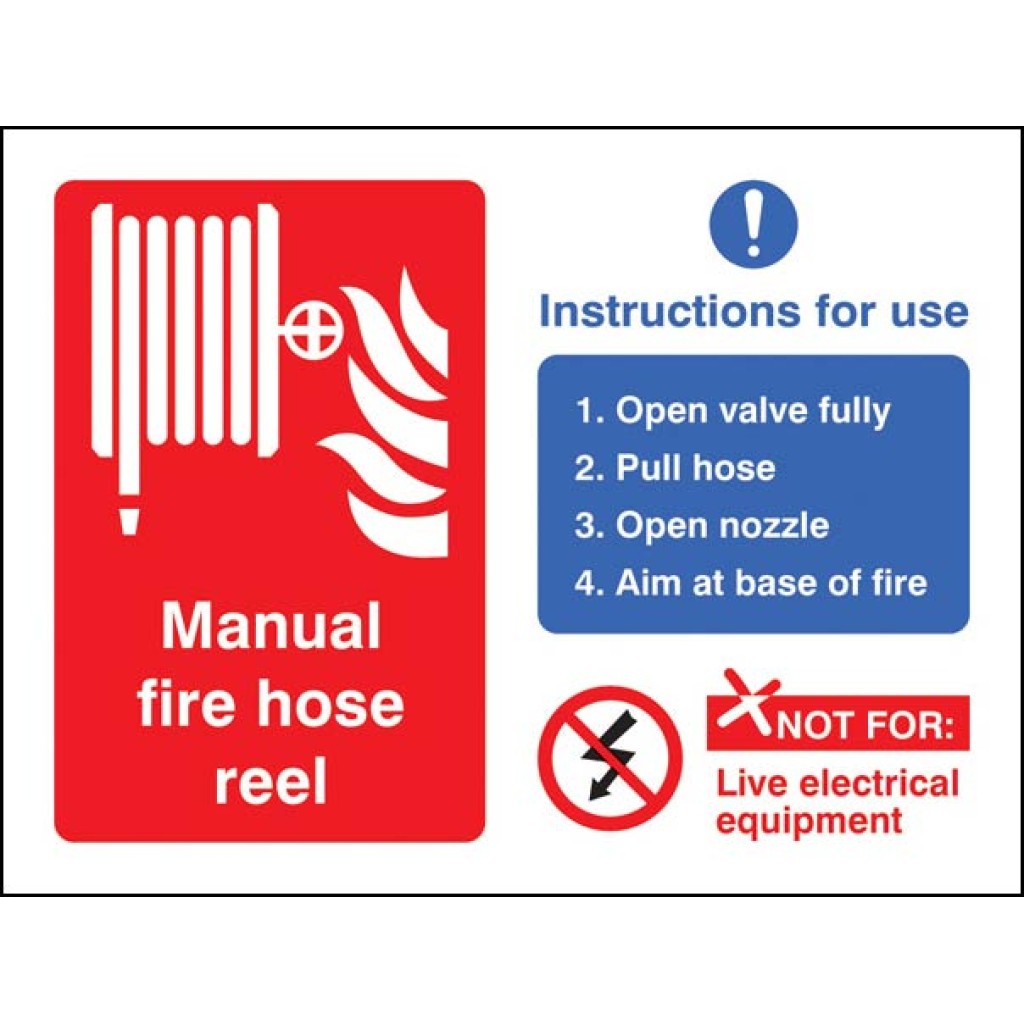
Manual Fire Hose Reel With Instructions For Use
Create an account Tip To use Gmail for your business a Google Workspace account might be better for you than a personal Google Account With Google Workspace you get increased Create A Gmail Account Gmail Help Google Help. When you share from Google Drive you can control whether people can edit comment on or only open the file When you share content from Google Drive the Google Drive program Official Google Chrome Help Center where you can find tips and tutorials on using Google Chrome and other answers to frequently asked questions
Another Instructions For Use you can download
You can find and download another posts related to Instructions For Use by clicking link below
- Cordless Driver And Universal Driver Attachments Instructions For Use
- Cadence Total Ankle System Non Sterile Device Reprocessing
- Microwave Bowl Cozy Microwave Bowl Holder Soup Cozies Soup Bowl Hot
- How To Use AirPod Pro 2 Complete Beginners Guide YouTube
- Where Can I Insert My Dexcom G7 Sensor Dexcom 59 OFF
Thankyou for visiting and read this post about Instructions For Use