SlidesCarnival Free PowerPoint And Google Slides Templates
Web Download your presentation as a PowerPoint template or use it online as a Google Slides theme 100 free no registration or download limits
How To Create A Custom Template In PowerPoint How To Geek, Web Nov 8 2019 nbsp 0183 32 To create a custom PowerPoint template you ll first need to open a blank presentation You can do so by clicking the File tab and then selecting New in the left pane A large library of templates will appear but since that s not what we re looking for go ahead and select the Blank Presentation option
Use A Personal Template To Create A New PowerPoint
Web Use a personal template to create a new PowerPoint presentation PowerPoint for Microsoft 365 PowerPoint 2021 PowerPoint 2019 More If you want to use a template you ve saved for your next presentation here s how On the File tab click New Select Personal or Custom
Best Fully Customizable PowerPoint Templates For 2022 Envato , Web Jan 22 2022 nbsp 0183 32 Visionable is a fully customizable PowerPoint template Use it for any type of presentation It comes with more than 150 unique slides based on master slides and five pre made color schemes to get you started The customized PPT template also includes resizable vector graphics

Presentation Templates Canva
Presentation Templates Canva, Web Find the presentation slides template that you need by browsing through our library or using the search bar Click on your chosen template to automatically load it for editing on your dashboard Add your content and personalize as needed Our drag and drop editing tools make it easy for you to customize your template however you want to

Personalized Power Bank Michael Etchey
Create And Save A PowerPoint Template Support microsoft
Create And Save A PowerPoint Template Support microsoft Web When you create a presentation and then save it as a PowerPoint template potx file you can share it with your colleagues and reuse it again To create a template you ll need to modify a slide master and a set of slide layouts Choose from thousands of free templates to download at Microsoft templates Newer versions Office 2010 Office 2007
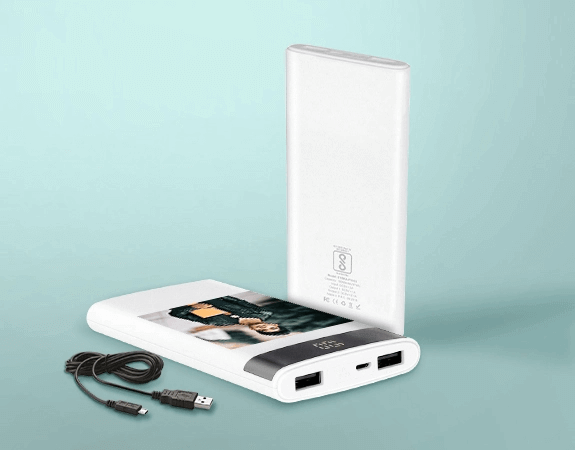
Planets And Stars Personalized Power Bank Coconuts Custom Power Bank
Web Presentation templates offer versatile options for personalizing get creative by customizing your template or opt for adding your own text to existing designs When you use a template at your next meeting you ll turn a simple presentation into an opportunity to impress Free Presentation Templates Microsoft Create. Web Mar 17 2014 nbsp 0183 32 1 Create your basic template Start in Illustrator by creating a new document File gt New I recommend starting by setting the dimensions to the default PowerPoint size of 10 x 7 5 inches or 720 x 540px a 4 3 aspect ratio Web Start with the perfect template Search for anything style topic image or color or look around the catalog for inspiration You ll find professionally designed templates for whatever you need to create Find your template
Another Personalized Power Point Templates you can download
You can find and download another posts related to Personalized Power Point Templates by clicking link below
- Personalized Power Bank Laser Engraved Bamboo Power Bank Etsy UK
- Powerful Power Banks Personalized
- Personalized Power Bank Laser Engraved Bamboo Power Bank Etsy
- Personalized Power Bank 2200mAh Recharge Portable Devices Etsy
- Powerful Power Banks Personalized
Thankyou for visiting and read this post about Personalized Power Point Templates