Default Blank Template Issues Microsoft Community
Web May 15 2021 nbsp 0183 32 Here s an updated way to set a default presentation Save the template as quot Default Template potx quot Copy it to appdata Microsoft Templates Document Themes In PowerPoint choose File gt New and select the leftmost template in the top row called Default Theme
Use A Personal Template To Create A New PowerPoint Presentation, Web Set your template as a default option You can mark your personal template to be an option on the default Featured tab Here s how Repeat the first two steps from the first procedure above
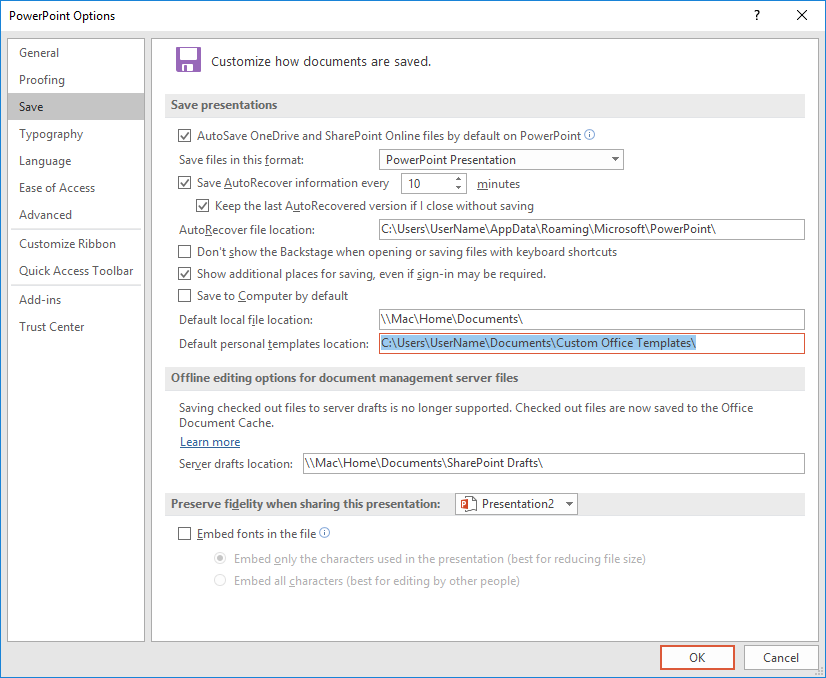
Change Default Template Location For PowerPoint Blank potx
Web Jul 5 2018 nbsp 0183 32 Click Modify and set the desired path Now when you open PowerPoint it will look in this modified location for the blank potx file You might want to set this to the same location as your Custom User Templates or a different location
Set Default Template For Right click gt New presentation, Web Jun 1 2021 nbsp 0183 32 What I want to achieve I have a Powerpoint template potx that includes a specific theme and layout quot slide master quot that has my company s logo and branding so I want to use it as a default for all the new presentation I make even if I create them using the right click menu in windows
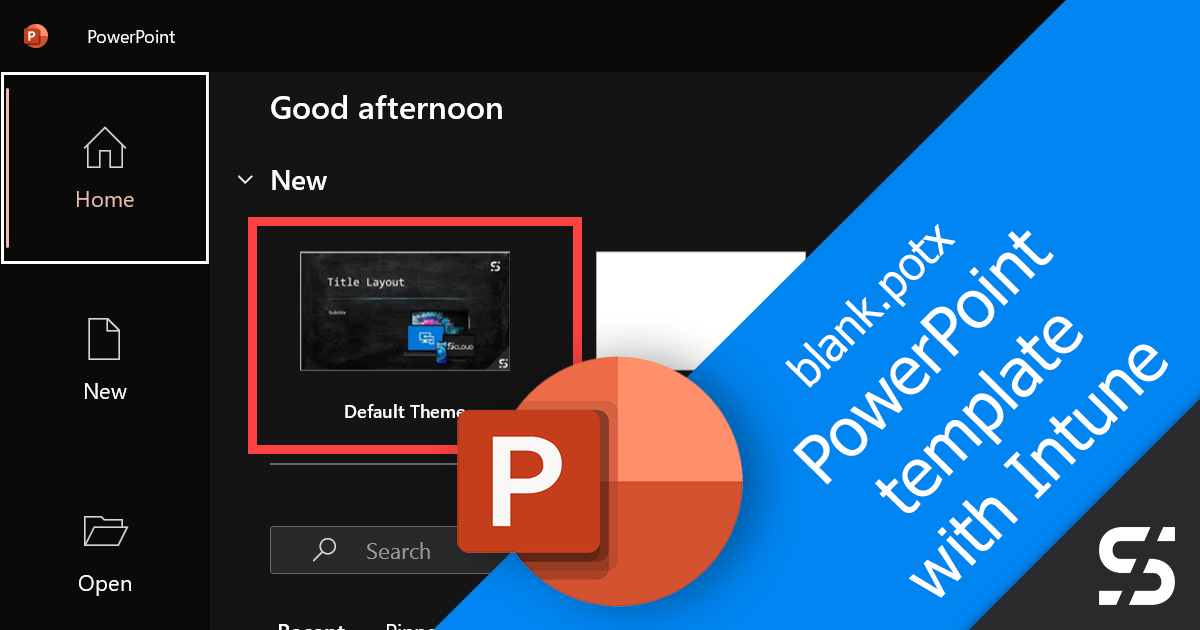
How Do I Assign A Specific Powerpoint Template To Open With New PPT
How Do I Assign A Specific Powerpoint Template To Open With New PPT , Web Nov 30 2020 nbsp 0183 32 1 Answer Sorted by 0 Open the PowerPoint file that you want to be your default theme Save the file as an quot Office Theme thmx quot in the following location C Users lt YOUR NAME gt AppData Roaming Microsoft Templates Document Themes Go to the Design tab and with one of your slide thumbnails selected drop down the quot Themes quot list

How To Designate Personal Template As Default In PowerPoint Office 365
How To Change The Default Blank Template In PowerPoint 2010
How To Change The Default Blank Template In PowerPoint 2010 Web Mar 3 2011 nbsp 0183 32 Basically open the file you want to use as your new default Choose File Save As and then choose Template POTX from the Save as Type dropdown PPT will take you to the proper folder to save the POTX in If it doesn t then see the FAQ on that link above Name the file Blank POTX

PowerPoint Game Template 19 Free PPT PPTX POTX Documents
Web Nov 21 2017 nbsp 0183 32 To set the default template Start PowerPoint Open the POTX template you want to set as the default Click File Save As Click the file type drop down and select PowerPoint Template potx This will automatically change the folder Now click More options PowerPoint 2016 which will open a file Set The Default Template When PowerPoint Starts YOUpresent. Web Apr 2 2014 nbsp 0183 32 Is there a way to make my own potx template the default when you open PPT instead of the default blank I am running Windows 7 Enterprise Office 2010 PowerPoint 2010 and would like to make our companies PPT template potx open up when I launch Powerpoint instead of the standard blank file default can you outline Web Jan 13 2017 nbsp 0183 32 In PPT 2013 there was an option to save a template file blank potx in APPDATA Microsoft Templates so it would appear on the Backstage as a quot Default Theme quot That also allowed to use CTRL N to create a new presentation using the template More detailed info
Another Set Ppt Template Default Blank Potx you can download
You can find and download another posts related to Set Ppt Template Default Blank Potx by clicking link below
- PowerPoint Tips And Tutorials Text Page 1
- Change The Default Template Or Theme In PowerPoint 2010 For Windows
- How To Open ppt pptx potx pps Without Microsoft PowerPoint
- Replacing That Awful DEFAULT PowerPoint Template Champagne Design
- Replacing That Awful DEFAULT PowerPoint Template Champagne Design
Thankyou for visiting and read this post about Set Ppt Template Default Blank Potx