Back Up Or Restore Data On Your Android Device Google Help
Manually back up data amp settings On your Android device open your device s Settings app Tap Google All services Under Backup and restore tap Backup Back up now
Backup , Backup backup
Fazer Backup Ou Restaurar Dados No Dispositivo Android
O backup n 227 o pode ser usado ao configurar um dispositivo pessoal com um perfil de trabalho um dispositivo somente para trabalho ou um dispositivo da empresa A restaura 231 227 o de dados
Back Up Your Device Android Google One Help, Delete your data backups If you turn off backup on your device your backups are deleted Photos and videos that you previously backed up remain saved in Google Photos To delete your
Daten Auf Einem Android Ger 228 t Sichern Oder Wiederherstellen
Daten Auf Einem Android Ger 228 t Sichern Oder Wiederherstellen, Sie k 246 nnen auf Ihrem Smartphone gespeicherte Inhalte Daten und Einstellungen in Ihrem Google Konto sichern Diese so gesicherten Informationen lassen sich dann bei Bedarf auf

Backup Test Plan Template
Back Up Photos amp Videos Android Google Photos Help
Back Up Photos amp Videos Android Google Photos Help The progress of your backup is measured by how many items remain to upload When your items finish backing up your status reads quot Backup complete quot If your backup status is off your status
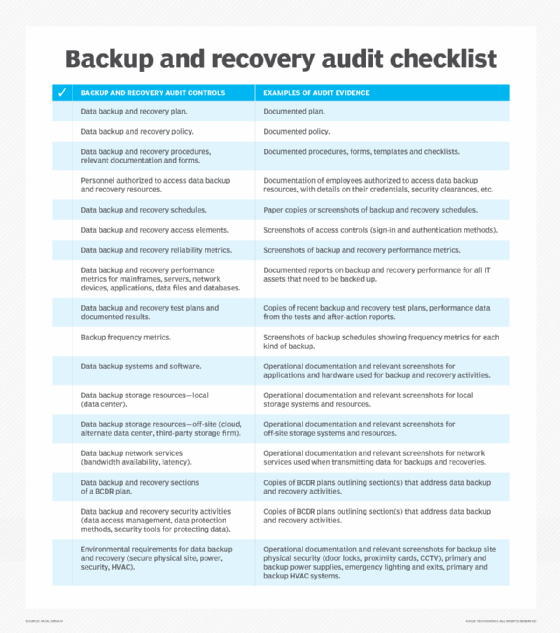
Sample Disaster Recovery Plan Template Best Of Backup And Recovery Test
Eseguire il backup della libreria foto di macOS Importante se hai pi 249 librerie foto di Apple solo la libreria foto di sistema si sincronizza con Google Foto Puoi sincronizzare tutte le librerie foto di Utilizzare Google Drive Per Computer Guida Di Google Drive. You can sync files from your computer to Google Drive and backup to Google Photos On your computer open Drive for desktop Click Settings Preferences On the left click Folders from Restore contacts from backups Important Both devices must be on the same Android version or your new device must be on a later Android version If your new device is on an older Android

Another Backup And Restore Test Plan Template you can download
You can find and download another posts related to Backup And Restore Test Plan Template by clicking link below
- Disaster Recovery Plan Template Excel
- Disaster Recovery Testing Template Master Template
- An Easy 10 step Guide For Testing Backups Fast secure reliable Web
- Backup And Restore Test Plan Template
- Disaster Recovery PowerPoint Template SlideModel
Thankyou for visiting and read this post about Backup And Restore Test Plan Template