Save A Slide Design theme As A Template Microsoft Support
Web If you create a slide design theme and you want to save it as a template potx file simply do the following Open the presentation that contains the slide design theme that you want to save as a template Select File gt Save As Browse to C Users lt your username gt Documents Custom Office
Video Create Slide Content And Save The Template Microsoft , Web Create a template from a presentation Video Customize the design and layouts Video Create slide content Video Next Design motion paths Overview Transcript Now it s time to create the slides that will be part of the template then click File gt Save As and choose PowerPoint Template potx as the file type Want more Create and save a template
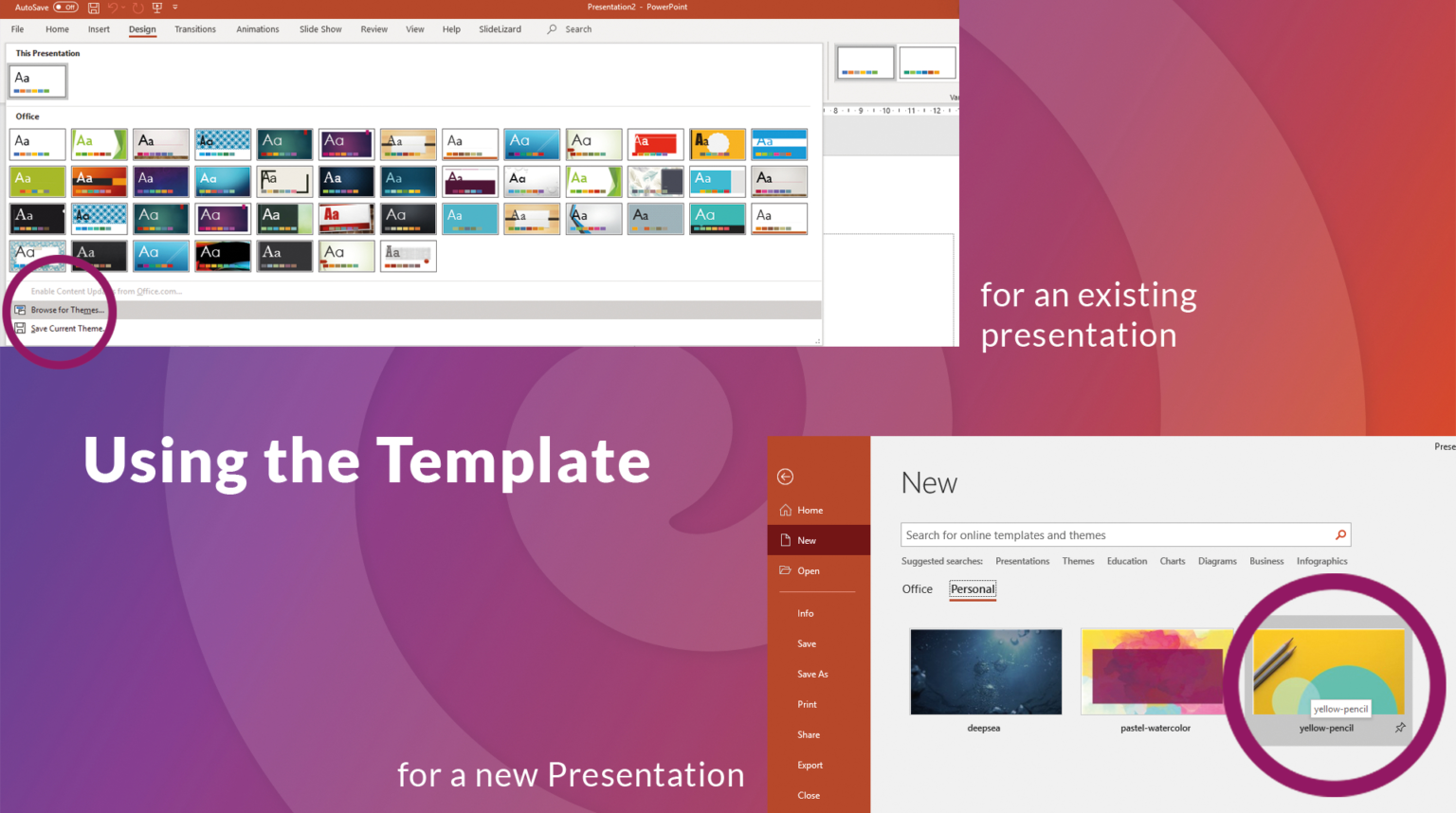
Create A Template Microsoft Support
Web To save a file as a template click File gt Save As Double click Computer or in Office 2016 programs double click This PC Type a name for your template in the File name box For a basic template click the template item in the Save as type list In Word for example click Word Template
Save A Presentation Template In PowerPoint Instructions, Web Dec 16 2021 nbsp 0183 32 Instructions on How to Save a Presentation Template in PowerPoint To save a presentation template in PowerPoint open the presentation to save as a template in PowerPoint Then click the File tab in the Ribbon to show the presentation s Backstage view At the left side of the Backstage view then

How To Create A Custom Template In PowerPoint How To Geek
How To Create A Custom Template In PowerPoint How To Geek, Web Nov 8 2019 nbsp 0183 32 Select the box next to Save as Type and then choose PowerPoint Template from the list of options When you select the PowerPoint Template file type PowerPoint redirects you to the Custom Office Templates folder This is where you ll want to save your template Click the Save button

Ppt Template
How To Save A PowerPoint Presentations s Template Super User
How To Save A PowerPoint Presentations s Template Super User Web Nov 15 2012 nbsp 0183 32 Dave s correct If you save a presentation as a template without first deleting the slides in it when you start a new presentation based on that template you get the slides too That can be useful if you want the new presentation to start with a selection of pre made slides
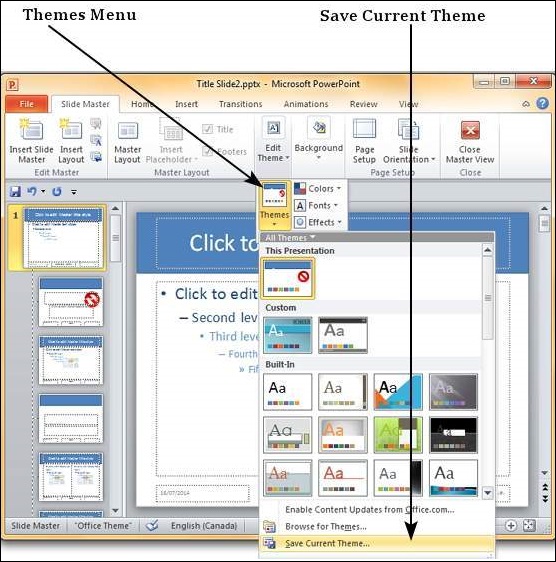
How To Save PPT As PDF How To Save PPT As PDF With Notes
Web Jun 25 2014 nbsp 0183 32 Open a blank PowerPoint presentation Click on View tab Slide Master which will bring up the slide master view mode Update customize the slide master as per the requirement Once the customization of the slide is completed click on the Office button and select Save As Name the template as per PowerPoint Can I Save A Slide Master As A Template . Web Dec 16 2019 nbsp 0183 32 Name the file choose a location for it in your Drive and then click quot OK quot to save the document template That s all there is to it If you want to share your template with other team members you can create a quot Make A Copy quot link and send it to them in an email or share the file directly with a shareable link Web Nov 19 2019 nbsp 0183 32 To set your custom theme as the default open PowerPoint select New in the left pane and then click the Custom tab Next select the Custom Office Templates option Your custom templates will appear Select the one you want to

Another Save A Ppt As A Template you can download
You can find and download another posts related to Save A Ppt As A Template by clicking link below
- Save And Share PowerPoint Files From Android With EasyPPT SlideHunter
- Wallpaper Ppt Background Hot Deal Save 47 Jlcatj gob mx
- 4 Practical Ways To Save PPT To PDF In High Resolution Online
- How To Save PPT As PDF Online In 3 Methods VanceReview
- How To Save Ppt As Pdf With Animation Libraryfilecloud
Thankyou for visiting and read this post about Save A Ppt As A Template